Prepper's Guide to Mesh Radio Networks: How to Stay Connected When the Internet and Cell Towers Go Dark
When cell towers and the internet fail, mesh radio networks keep your group connected. Here's how to build one before SHTF.
When the grid goes down and cell towers stop transmitting, most people suddenly realize how dependent they are on infrastructure they never control. According to FEMA, roughly 58% of Americans have no emergency communication plan beyond their smartphones. During Hurricane Katrina, cell networks failed within hours. During the 2021 Texas winter storm, millions lost service for days. When SHTF for real — whether through a natural disaster, cyberattack, EMP, or cascading infrastructure failure — your iPhone becomes an expensive paperweight.
Mesh radio networks are one of the most underrated tools in any serious prepper's arsenal. Unlike traditional radios that require a central repeater or a licensed operator on the other end, mesh networks are decentralized — each node relays signals to the next, building a web of communication that doesn't depend on any single point of failure. Whether you're in a Manhattan high-rise, a suburban neighborhood, or a rural homestead, you can build and operate a mesh radio network that keeps your group connected when every other system fails. For a broader look at building off-grid communication, see our guide on Off-Grid Communication: Building a Reliable Network When the Internet Goes Down.
What Is a Mesh Radio Network and Why Preppers Need One
A mesh network is a system where each device — called a node — communicates with every other node in range, and each node can relay messages further along the network. Think of it like a chain of walkie-talkies where each radio automatically forwards your message to the next one down the line, extending range far beyond what any single device could achieve alone.
The Meshtastic protocol, built on LoRa (Long Range) radio technology, has emerged as the leading open-source platform for prepper mesh networks. It operates in the license-free 915 MHz band in the United States (433 MHz internationally), meaning you don't need a ham radio license to run basic Meshtastic nodes. LoRa signals can travel 2–15 miles in open terrain and 0.5–3 miles in dense urban environments — and with multiple nodes in a mesh, those distances multiply dramatically.
For urban preppers in particular, this is a game-changer. A group of six apartment dwellers spread across a city, each with a node in their window, can maintain encrypted text messaging and GPS position sharing without touching the internet or cell network at all.
What You'll Need
Tools
- Computer or laptop (for flashing firmware and configuring devices)
- USB-C or Micro-USB cable (for connecting nodes during setup)
- Soldering iron (optional, for antenna modifications or weatherproofing)
- Smartphone with Bluetooth (for Meshtastic app pairing)
Supplies
- Meshtastic LILYGO T-Beam LoRa mesh radio device (one per node)
- LILYGO T-Echo LoRa Meshtastic node device (compact alternative node)
- Rokland LoRa outdoor antenna fiberglass omnidirectional (for extending range)
- Anker solar panel portable power bank charger (for off-grid node power)
- Weatherproof enclosure box (for outdoor node deployment)
- 18650 lithium batteries or battery packs
Choosing Your Mesh Radio Hardware
Not all mesh radio hardware is created equal. For most preppers building a Meshtastic-based network, there are two primary device categories: purpose-built nodes and more advanced radio transceivers for operators with ham licenses.
The Meshtastic LILYGO T-Beam is arguably the most popular starting point for preppers. It combines a LoRa radio module, GPS chip, and WiFi/Bluetooth in a single board that runs the open-source Meshtastic firmware. Out of the box, it supports encrypted text messaging, GPS position sharing, and automatic mesh relay — all for well under $50 per device. This is your baseline node.
For a more compact, polished option, the LILYGO T-Echo includes an e-paper display, GPS, and a compact form factor that fits easily in a jacket pocket or bug out bag. It's an excellent secondary device for mobile team members who need situational awareness on the move.
For preppers who want a simpler, consumer-ready option without firmware setup, the GoTenna Mesh is a plug-and-play off-grid messaging device that pairs with your smartphone. It's less customizable than Meshtastic but requires virtually no technical knowledge to operate — making it the right choice for family members who won't be flashing firmware.
Licensed ham operators should also consider the Icom IC-705 portable HF/VHF/UHF transceiver as a long-range backbone radio. The IC-705 can operate on HF frequencies capable of reaching hundreds or thousands of miles under the right conditions — making it the communications equivalent of a sniper rifle compared to the mesh network's close-quarters capability. Together, they form a layered communication system. For more on ham radio as a survival tool, see our guide on HAM Radio for Preppers: How to Build a Reliable Emergency Communication Network.
Antennas: The Force Multiplier No One Talks About
Your hardware is only as good as your antenna. The stock antennas included with most LoRa devices are adequate for close-range testing but severely limit real-world performance. Upgrading to a quality external antenna is the single highest-return investment you can make in your mesh network.
The Rokland LoRa outdoor fiberglass omnidirectional antenna is a popular upgrade among serious Meshtastic users. Mounting one of these on a rooftop, chimney, or window frame can dramatically extend your node's range, turning a single elevated relay node into a hub that covers an entire neighborhood or rural valley. Even apartment dwellers can mount an antenna to a balcony railing or window bracket.
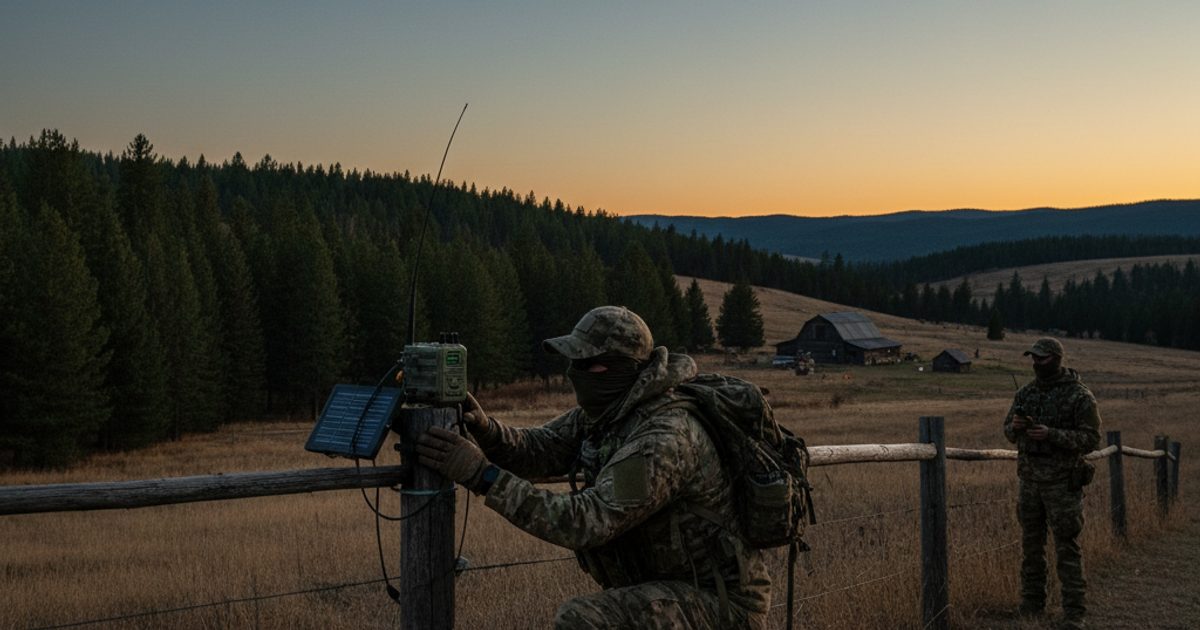
Height matters more than almost anything else in radio communication. A node at ground level in an urban environment may reach only a few blocks. The same node elevated to a rooftop or upper floor can cover several miles. If you're a rural prepper, mounting a relay node on a barn peak, water tower, or ridge-line tree stand can tie together homesteads miles apart.
Powering Your Mesh Network Off the Grid
A mesh network that dies when the power goes out defeats the entire purpose. Every serious node deployment needs an independent power source. Meshtastic nodes like the T-Beam are remarkably energy-efficient — many run for days on a single 18650 battery cell. For extended off-grid operation, pairing each node with a solar power source is the right move.
The Anker solar panel portable power bank charger is an excellent solution for keeping mobile nodes and handheld devices charged in the field. For fixed outdoor relay nodes, a small dedicated solar panel wired to a lithium battery pack inside a weatherproof enclosure can keep a node running indefinitely with minimal maintenance. See our Prepper's Guide to Solar Panel Selection for guidance on sizing a solar system for your communication infrastructure.
Urban preppers without rooftop access can position solar charging panels in south-facing windows or on balconies. Even a 10-watt panel produces enough energy to keep a LoRa node operational around the clock in most U.S. climates.
Adding Intelligence: Running Meshtastic on a Raspberry Pi
For preppers who want to take their mesh network to the next level, connecting a Meshtastic node to a Raspberry Pi 4 single-board computer opens up powerful capabilities. A Pi-based node can serve as a local mesh server — storing message history, bridging to a local WiFi network, logging GPS tracks, and even running a local map interface that displays all node positions in real time. This becomes the command-and-control hub for your prepper group's communication network.
A Raspberry Pi running Meshtastic-python and a local web interface gives your group something that looks and feels like a private, offline version of a modern messaging app — but runs entirely on hardware you own, with no dependency on any external infrastructure. This is especially valuable for neighborhood mutual aid networks coordinating disaster response across multiple households.
Integrating Traditional Radio with Your Mesh Network
Mesh radio networks and traditional handheld radios are not competitors — they're complements. While your Meshtastic mesh handles text, GPS, and data, voice communication remains faster and more intuitive in fast-moving emergencies. The Baofeng UV-5R handheld ham radio transceiver is the go-to entry-level choice for most preppers — it's inexpensive, widely available, and covers both VHF and UHF frequencies. Every member of your group should have one programmed to your designated emergency channels.
A layered communication strategy uses the mesh for non-urgent data traffic and GPS tracking while reserving voice radio for urgent calls and coordination. Think of it this way: your mesh network is your group chat, and your Baofeng is your phone call. Also pair this with a plan for when all else fails — read our article on When Cell Networks Fail: How to Build a Family Emergency Communication Plan for the full framework.
Step-by-Step Instructions
Step 1: Define Your Network Coverage Area and Node Locations
Before purchasing any hardware, map out your intended coverage area using a tool like HeyWhatsThat.com or the Meshtastic range calculator. Identify the highest available points in your area — rooftops, hilltops, upper floors, or tall trees — as these will become your relay nodes. For urban preppers, coordinate with trusted neighbors or group members to identify buildings that can host elevated nodes. In rural settings, identify ridge lines, barn peaks, or water towers that provide line-of-sight to multiple homesteads.
Step 2: Purchase and Flash Your Meshtastic Firmware
Order your LoRa hardware — typically a mix of T-Beam units for stationary nodes and T-Echo devices for mobile users. Visit flasher.meshtastic.org in a Chrome browser, connect your device via USB, and follow the on-screen prompts to flash the latest stable Meshtastic firmware. This process takes under five minutes per device and requires no coding knowledge. Verify the flash was successful by checking for the Meshtastic boot screen on the device display.
Step 3: Configure Your Network Channel and Encryption
Download the Meshtastic app on your smartphone (iOS or Android) and pair via Bluetooth. Navigate to the Channel settings and create a custom channel name and encryption key — this ensures only your group can read messages on your network. Share the channel QR code with all trusted group members. Never use the default public channel for sensitive communication. Set the region to "US" and the modem preset to "LongFast" for the best balance of range and throughput in most environments.
Step 4: Deploy Relay Nodes at Elevated Positions
Mount your stationary relay nodes at the highest accessible points in your coverage area. For outdoor deployment, seal the device and electronics inside a weatherproof ABS enclosure with a cable gland for the antenna pigtail. Attach an upgraded external antenna using an SMA pigtail connector. Secure the enclosure to a mast, roof bracket, or chimney mount. For apartment dwellers, a node mounted in an upper-floor window with a magnetic antenna on the glass provides surprisingly good performance.
Step 5: Connect Solar Power to Each Fixed Node
Wire a small solar panel (5–20 watts) to a lithium battery pack inside each outdoor node enclosure, or position a solar charger in a south-facing window for indoor nodes. Ensure the battery capacity is large enough to sustain the node through 3–5 days of cloudy weather without recharging. Test each node's power autonomy by disconnecting from shore power and monitoring battery voltage over 24–48 hours before finalizing deployment.
Step 6: Test Range and Coverage Across Your Network
With all nodes deployed, conduct a systematic range test by walking or driving your coverage area with a mobile node and the Meshtastic app open. Note any dead zones and address them by adding additional relay nodes or adjusting antenna heights. Use the app's traceroute function to see exactly which nodes are relaying your messages. In a well-designed network, you should have at least two redundant paths between every pair of end points — redundancy is everything in a true emergency network.
Step 7: Train Every Group Member on Basic Operation
Technical infrastructure is worthless if people don't know how to use it under stress. Hold a dedicated training session covering how to send and receive messages, read GPS positions, check battery status, and manually relay messages if automatic routing fails. Practice activating the network monthly — situational awareness degrades without practice. Ensure every member has a laminated quick-reference card in their bug out bag with channel settings, frequency information, and backup voice radio channels.
Step 8: Integrate Your Mesh Network Into Your Full Emergency Communication Plan
Document your network's channel names, encryption keys, node locations, backup power sources, and emergency protocols in a written communication plan stored in each member's emergency kit. Establish scheduled check-in times (e.g., 0800 and 2000 daily) so that silence from a member triggers a welfare check rather than being ignored. Combine your mesh data network with voice radios, written message drops, and pre-agreed rally points for a true layered communication system that survives any single point of failure.
Recommended Gear
Building a complete mesh communication system requires the right combination of hardware. Start with the Meshtastic LILYGO T-Beam as your primary node platform and add the LILYGO T-Echo for mobile team members who need a compact carry device. For families or group members who want simplicity over customization, the GoTenna Mesh remains the easiest plug-and-play entry point. Extend your network's reach with the Rokland LoRa fiberglass omnidirectional antenna, keep every node charged with the Anker solar panel power bank, and build your command hub around a Raspberry Pi 4. Complement your mesh with a Baofeng UV-5R for voice communication and the Icom IC-705 if your group has licensed ham operators who need long-haul HF capability. Browse our full collection of vetted communication and survival tools at the SHTFPlan Recommended Gear page.
Frequently Asked Questions
Do I need a ham radio license to operate a Meshtastic mesh network?
In the United States, Meshtastic devices operating in the 915 MHz ISM band do not require a ham radio license for basic operation — this frequency range is license-free for low-power devices. However, if you want to run higher power levels, use other frequency bands, or operate devices like the Baofeng UV-5R for voice transmission on ham frequencies, you will need at least a Technician class ham license. Getting licensed is highly recommended for serious preppers — the knowledge alone is worth the effort, and the license opens up powerful emergency communication capabilities.
How far can a Meshtastic mesh network actually reach?
A single Meshtastic node with the stock antenna typically reaches 0.5–3 miles in urban environments and 3–15+ miles in open terrain with good line-of-sight. With upgraded antennas and elevated placement, individual node ranges can exceed 20 miles under ideal conditions. Because mesh networks relay messages hop-by-hop, a network of eight nodes spread across a region can effectively cover an area that would be impossible for any single radio to reach. Real-world Meshtastic users have documented networks spanning 50+ miles across mountainous terrain using strategically placed solar-powered relay nodes.
What's the difference between a mesh radio network and a regular two-way radio for emergency preparedness?
A traditional two-way radio — like a Baofeng or FRS walkie-talkie — transmits voice directly between two radios within range. If one person is out of range, communication fails. A mesh radio network like Meshtastic automatically relays digital messages through every intermediate node between sender and receiver, extending effective range without the sender and receiver needing line-of-sight to each other. Mesh networks also support encrypted text messaging, GPS position sharing, and message store-and-forward (where nodes hold messages until the recipient comes back online). For comprehensive emergency preparedness, both technologies belong in your communication plan — traditional voice radio for real-time coordination and mesh networking for data, GPS, and resilient long-range messaging.
Affiliate Disclosure: SHTFPlan.net participates in the Amazon Services LLC Associates Program. Some links are affiliate links — we may earn a small commission at no extra cost to you.